Sharing designs with a code or a QR code
Made a design you're proud of? Send it to a friend as a code or a QR code, and grab theirs the same way.
Sending a design
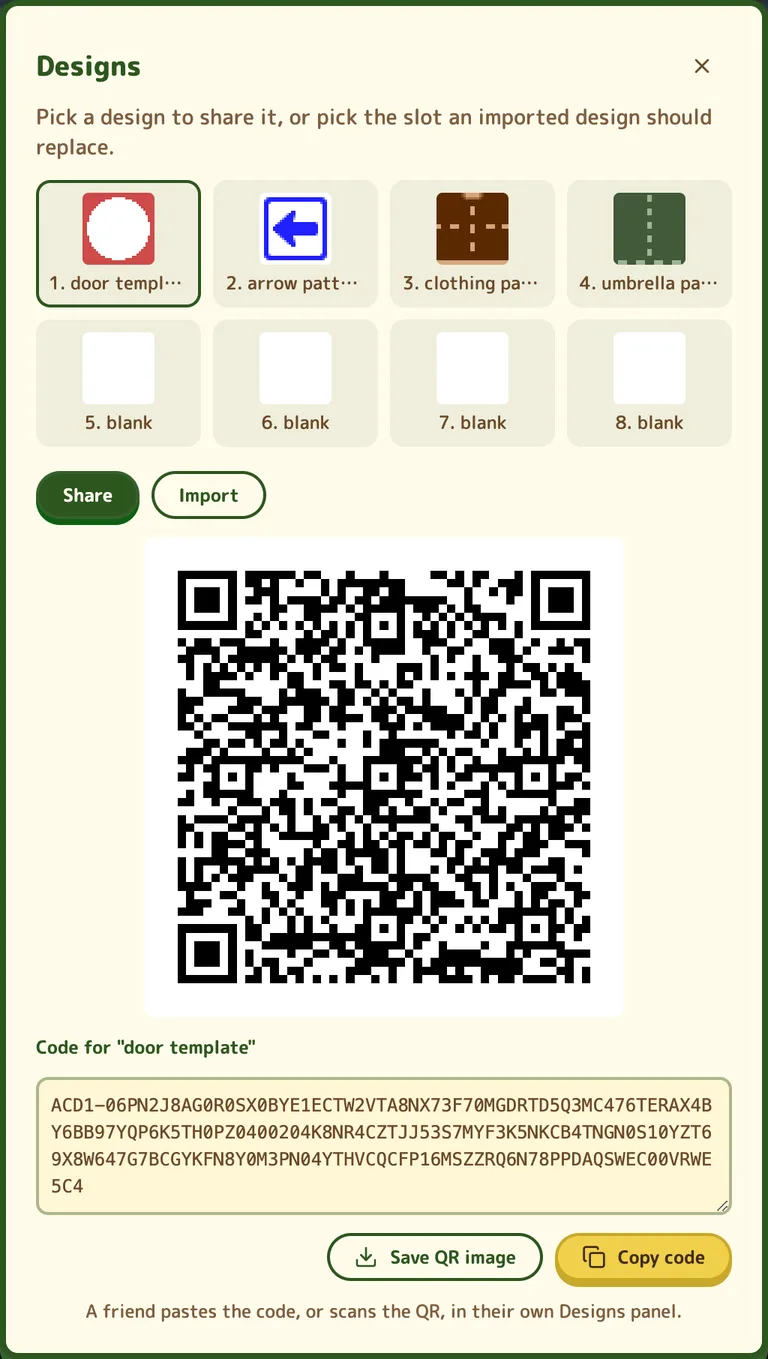
- While you're playing, press Designs at the top of the screen. On a phone or tablet it's the palette button, with no word next to it.
- Pick the design you want to send.
- Press Copy code and paste it to your friend, or press Save QR image and send them the picture.
Getting a friend's design
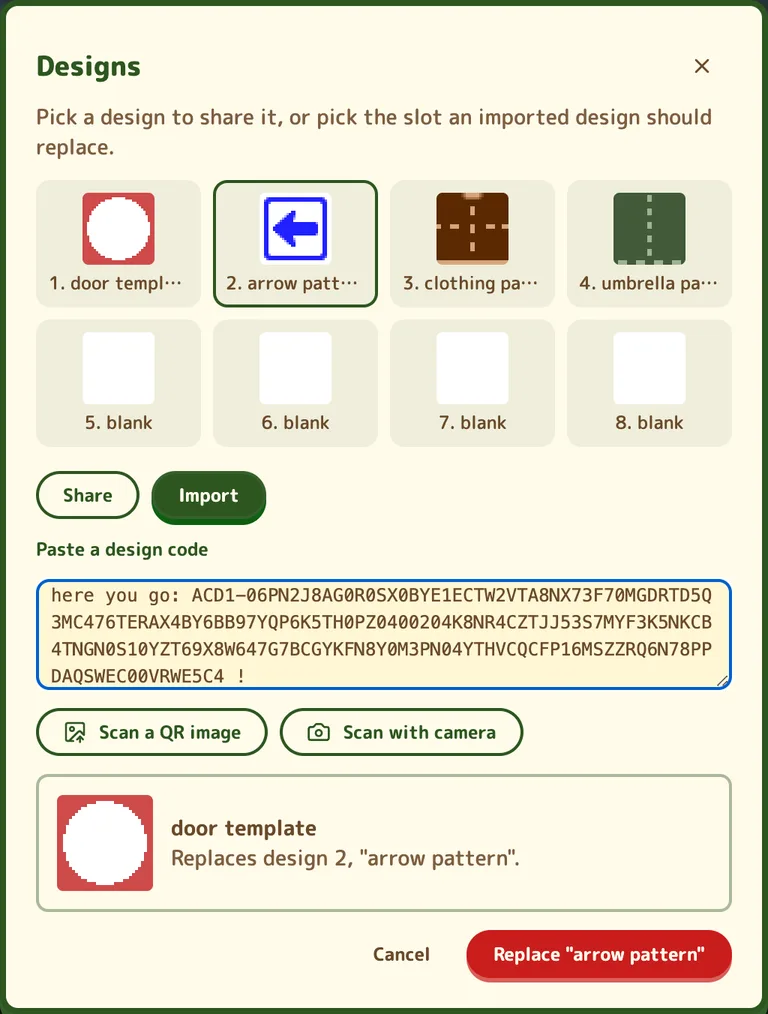
- Open Designs (the palette button) and pick the slot you want it in. A blank one is safest.
- Go to Import and paste the code. Got a QR code instead? Use Scan a QR image on a screenshot of it, or Scan with camera.
- Check the preview, press Import, then confirm.
- Save your game so you don't lose it.
Good to know
- Importing replaces whatever was in that slot, so pick one you don't need.
- Anything using that slot changes with it: a shirt you're wearing, an umbrella, or a design path.
- Copy the whole code. Capitals don't matter, and it's fine if it comes with a message around it.
- You can only import in your own town, with the game's menus closed.
- A code is just the design and its name, nothing else from your town.
- Names go through the same word filter as the bulletin board.